Home / Reviews / Brother P-touch PT-D220
Brother P-touch PT-D220 review
The PT-D220 is the label maker most homes should buy. You type on its own keyboard, see the text on the screen and press print: no phone, no app, no account. Its laminated TZe labels survive a damp cloth, a fridge shelf and years of drawer traffic.
- Best as
- Best overall for home and office
- Prints on
- Brother TZe laminated tape up to 12 mm (about 1/2 inch). Narrower TZe cassettes, down to 3.5 mm, also fit.
- Cost per label
- About 14¢ to 21¢ per 2.5-inch label on genuine 12 mm TZe tape.
Imogen Pratt, updated 11-01-2026. Sources: Bob Vila (roundup first published Sept 2020, updated since); Amazon listing.
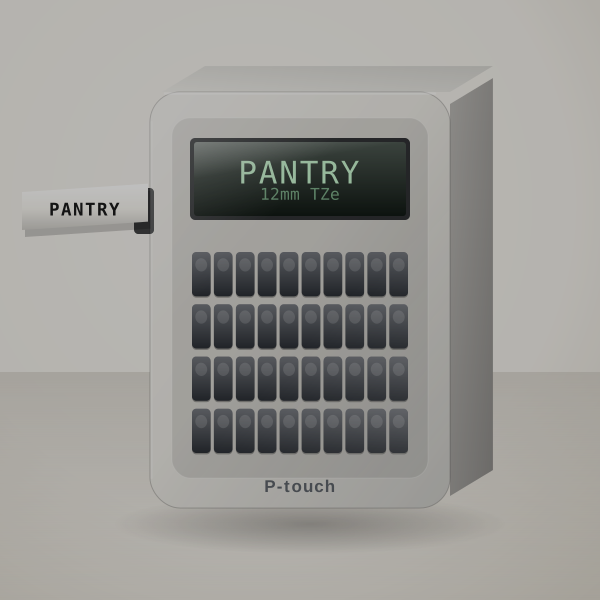 3D render, not a photo
Why the laminated tape matters
The tape is the reason to pick the D220. TZe is laminated: the ink sits under a clear film, so it does not smear when a jar sweats in the fridge or a hand drags across a drawer front. Paper-based labels and most thermal labels lose that fight within months.
The keyboard is a full QWERTY layout, and the listing gives 14 fonts, 11 styles, 99 frames and more than 600 symbols, plus 25 ready-made templates. That is more than enough for spice jars and cable tags as well as file folders, and nobody in the house needs to install anything to use it.
Label size is the limit. At 12 mm wide it prints one or two lines of text, which is right for jars and shelves and too small for a storage bin you want to read from across the garage.
Forty pantry jars, worked out
Say you relabel 40 jars with 2-inch labels and print them as one strip. With a short leader each label uses about 2.75 inches, so the job takes roughly 110 inches, a little over 9 feet. A standard 26.2-foot TZe cassette covers that three times over, and the tape for the whole pantry costs about $4.50 to $7.
Tape and cost per label
Brother TZe laminated tape up to 12 mm (about 1/2 inch). Narrower TZe cassettes, down to 3.5 mm, also fit.
About 14¢ to 21¢ per 2.5-inch label on genuine 12 mm TZe tape. Try your own price.
- System
- Brother TZe laminated tape, about 1/2 in (12 mm)
- Input
- Built-in keyboard
- Power
- 6 AAA batteries or optional AC adapter
- Text
- 1 or 2 lines; 14 fonts, 99 frames (listing)
Who it suits
- A family labelling the pantry and linen closet, plus the kids' shelves, in one weekend.
- A home office whose folders and cables need to stay labelled for years.
- Anyone buying for a parent or grandparent who does not want an app.
A year of labels
You pay for the machine once. The tape is what you keep buying.
| How you use it | Labels | Labels a year | Spend a year |
|---|---|---|---|
| Light home use | 10 a month | 120 | $17 to $25 |
| Organising a whole house | 30 a month | 360 | $50 to $76 |
| Small office | 60 a month | 720 | $101 to $151 |
Three things owners grumble about
- It wastes tape at the start of each label
- Turn on chain printing and print several labels in one strip, or choose the narrow margin setting; you lose the leader once instead of every time.
- Batteries run down if it sits in a drawer for months
- Use rechargeable AAAs or the AC adapter, and take the batteries out if it will be stored.
- Genuine TZe cassettes are not cheap
- Buy the 2-packs or 3-packs of the colours you use most; compatible tapes exist but quality varies, so test one before buying in bulk.
What to put in the basket
Buy the plain printer and one or two extra 12 mm TZe cassettes (black on white is TZe-231; black on clear is TZe-131 for jars). Add the AC adapter only if it will stay on a desk.
In the box
- The PT-D220 printer
- Power is 6 AAA batteries or an optional AC adapter, both sold separately
- Most retail bundles include a starter tape; check the listing you buy
Your first label, step by step
- Fit six AAA batteries (rechargeables work) or buy the adapter if it will live on a desk.
- Drop in the TZe cassette and close the back; there is nothing to thread.
- Type the label, preview it on the screen, press Print, then press the cutter lever.
- Save the labels you reprint often; it holds up to 30.
Good fit, poor fit
Good fit if you want one keyboard label maker for the pantry and the closets, with office folders on the side.
Poor fit if you would rather design labels on your phone. The CUBE Plus does that.
Brother P-touch PT-D220 or DYMO LabelManager 160?
Against DYMO's LabelManager 160, the D220 wins on label durability because TZe is laminated. The DYMO's D1 tape costs about the same per label and comes in widths from 6 to 12 mm, and its keyboard is a little quicker to type on. If labels will be wiped or handled, buy the Brother.
Against similar machines
| Machine | Prints on | Widest label | Design with | Power | Cost per label |
|---|---|---|---|---|---|
| Brother P-touch PT-D220 | Brother TZe, laminated | 12 mm | Built-in keyboard | 6 AAA or adapter | About 14¢ to 21¢ |
| DYMO LabelManager 160 | DYMO D1 | 12 mm | QWERTY keyboard | Batteries or adapter | About 14¢ to 21¢ |
| DYMO LetraTag 100H | DYMO LetraTag (paper or plastic) | 12 mm | ABC keyboard | Batteries | About 8¢ to 17¢ |
| Brother P-touch CUBE Plus PT-P710BT | Brother TZe, laminated | 24 mm | Phone app or computer | Built-in rechargeable | About 14¢ to 21¢ |
Other machines to consider
- DYMO LetraTag 100H: Cheaper to start and fine for dry, indoor labels. DYMO LetraTag 100H review. Check price
- Brother P-touch CUBE Plus PT-P710BT: You would rather design on a phone and want labels up to 24 mm wide. Brother P-touch CUBE Plus PT-P710BT review. Check price
- Nelko P21 Bluetooth Label Maker: You want app-designed labels for the least money and the labels stay indoors. Nelko P21 Bluetooth Label Maker review. Check price
Buyer questions
Is the Brother PT-D220 worth it?
Yes for most homes and small offices: laminated labels, a real keyboard and no app.
What tape does the PT-D220 use?
Brother TZe tape up to 12 mm wide. It does not take Btag or DYMO tapes.
Does the PT-D220 come with batteries?
No. It runs on 6 AAA batteries or an optional AC adapter, both sold separately.
Can the PT-D220 print two lines?
Yes, up to two lines on 12 mm tape.
Can it connect to a computer or phone?
No. Everything happens on its own keyboard. For app design, look at the CUBE Plus.
Bottom line on the PT-D220
If you want one label maker for the pantry and the closets, plus a desk drawer, and you never want to open an app to use it, order the PT-D220 and a spare cassette.