Home / Reviews / MUNBYN Bluetooth 4x6 Label Printer
MUNBYN Bluetooth 4x6 label printer review
The MUNBYN RealWriter 130B prints 4x6 shipping labels straight from a phone or tablet over Bluetooth, or from a PC through the Munbyn Editor in Chrome. That suits sellers who pack orders away from a desk.
- Best as
- Best wireless shipping label printer
- Prints on
- Direct thermal labels from 1.57 to 4.3 inches wide.
- Cost per label
- Roughly 3¢ to 6¢ per 4x6 label.
Imogen Pratt, updated 11-01-2026. Sources: Amazon listing (checked Oct 2026).
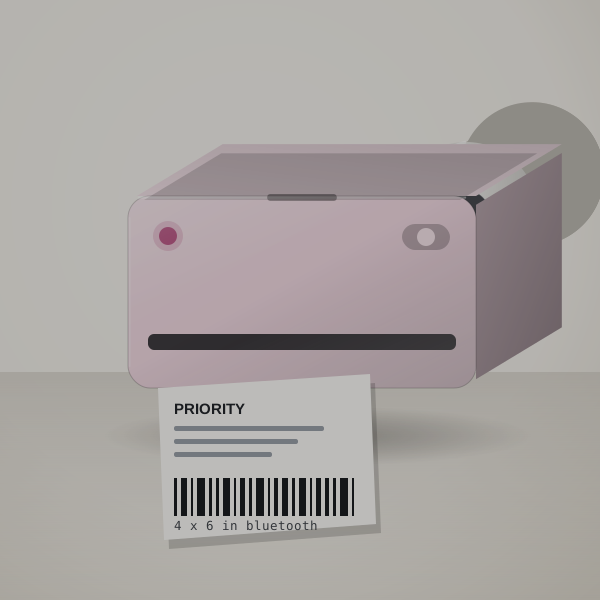 3D render, not a photo
Printing where the parcels are
Printing from a phone means the label prints where the parcel is. The listing quotes 203 dpi and up to 72 labels a minute.
The app has more than 2,000 templates, 3,500 design elements and 80 fonts, and can import PDFs or read text with OCR. Product and barcode labels work as well as shipping.
It works with the major shipping platforms and marketplaces.
A market weekend, worked out
Packing 60 orders after a weekend market, printing from your phone at the packing table: 60 labels at 3 to 6 cents each is $1.80 to $3.60, with no laptop to carry or set up.
Label spend by order volume
Label spend grows with your order count.
| How you use it | Labels | Labels a year | Spend a year |
|---|---|---|---|
| A few orders a week | 20 a month | 240 | $7 to $14 |
| A busy Etsy or eBay shop | 150 a month | 1,800 | $54 to $108 |
| Daily shipping | 600 a month | 7,200 | $216 to $432 |
Labels and cost per parcel
Direct thermal labels from 1.57 to 4.3 inches wide.
Roughly 3¢ to 6¢ per 4x6 label. Try your own price.
- System
- Direct thermal, labels 1.57 to 4.3 in wide
- Connection
- Bluetooth app, or Munbyn Editor in Chrome on a PC
- 203 dpi
Which sellers it suits
- Sellers who pack orders away from the computer.
- Market and pop-up sellers printing from a phone.
- Small brands making product and price labels as well as shipping labels.
Getting the first label out
- Download the MUNBYN Print app and connect over Bluetooth.
- Load labels and run a test print.
- On a PC, open Munbyn Editor in Chrome.
Where it is less convenient
- PC printing is through the browser editor
- If one desktop does all your shipping, the USB Rollo is simpler.
- Check PDF scaling
- Print at 100% on 4x6 to avoid shrunken labels.
Labels and sizes to buy
Buy the 130B and a stack of 4x6 labels; add smaller rolls for product labels.
In the carton
- The 130B printer
- Check the listing for the starter labels and cables in your bundle
MUNBYN Bluetooth 4x6 Label Printer or Rollo USB Shipping Label Printer?
The Rollo is the better desktop printer; the MUNBYN wins when printing from a phone matters.
Shipping printers compared
| Machine | Prints on | Widest label | Design with | Power | Cost per label |
|---|---|---|---|---|---|
| MUNBYN Bluetooth 4x6 Label Printer | Thermal labels | 4.3 in | Phone app or browser editor | Check the listing | Roughly 3¢ to 6¢ |
| Rollo USB Shipping Label Printer | Any-brand thermal labels | 4.1 in | Computer (USB) | Mains power | Roughly 3¢ to 6¢ |
| DYMO LabelWriter 550 and 550 Turbo | DYMO LabelWriter labels only | Address and file sizes | Computer | Mains power | Roughly 3¢ to 5¢ |
Right for your shop?
Good fit if you print shipping labels from your phone or a tablet.
Poor fit if you only print from one desktop; the Rollo is simpler.
Other shipping printers
- Rollo USB Shipping Label Printer: One computer does all your shipping. Rollo USB Shipping Label Printer review. Check price
- DYMO LabelWriter 550 and 550 Turbo: You print address labels from a computer. DYMO LabelWriter 550 and 550 Turbo review. Check price
Seller questions
Can the MUNBYN print from an iPhone?
Yes, over Bluetooth with the MUNBYN Print app.
What label widths does it take?
1.57 to 4.3 inches.
Does it need ink?
No, it is a direct thermal printer.
Who should choose the MUNBYN
If you print shipping labels from your phone, order the MUNBYN 130B.